Build Your First HTTP Server in Node.js
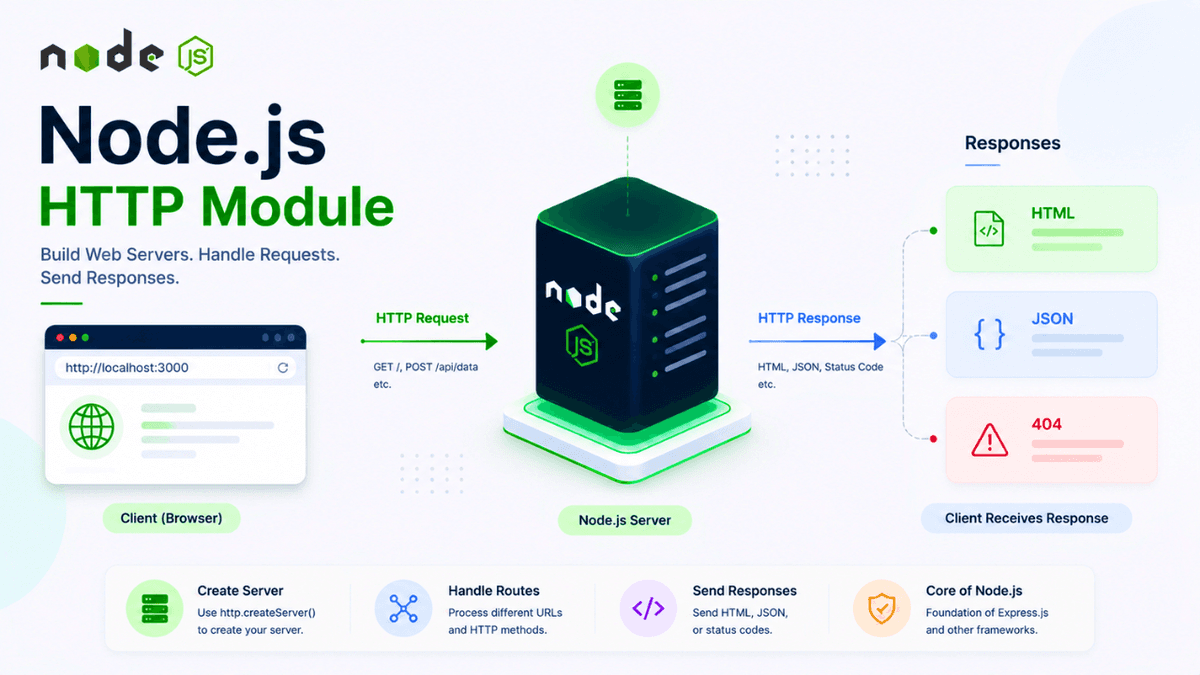
Learn how to use the Node.js HTTP module to create a web server, handle requests and responses, build routes, and understand the request-response cycle with practical examples.
Node.js HTTP Module Explained: Build Your First Web Server
One of the main reasons developers use Node.js is to build web servers.
Before using frameworks like Express.js, it's important to understand how Node.js creates a server using its built-in HTTP module .
The HTTP module provides everything you need to receive client requests, send responses, and build backend applications without installing any third-party libraries.
In this guide, you'll learn what the HTTP module is, how it works, and how to build your first Node.js web server.
Prerequisites
Before reading this guide, you should understand:
What Is the HTTP Module?
The HTTP ( http ) module is a built-in Node.js module that allows you to create web servers and handle HTTP requests and responses.
Because it's built into Node.js, no installation is required.
Import it like this:
const http = require("http");
Why Use the HTTP Module?
The HTTP module helps you:
- Create a web server
- Receive client requests
- Send responses
- Handle different routes
- Build REST APIs
- Understand how backend frameworks work internally
Every Node.js backend framework is built on top of the HTTP module.
Understanding the Request–Response Cycle
Every website follows a simple flow:
  Browser

↓

HTTP Request

↓

Node.js Server

↓

Process Request

↓

HTTP Response

↓

Browser
Whenever a user visits your website, the browser sends a request, and your server sends back a response.
Creating Your First HTTP Server
  const http = require("http");

const server = http.createServer((req, res) => {
  res.write("Hello, Node.js!");
  res.end();
});

server.listen(3000, () => {
  console.log("Server running on http://localhost:3000");
});
Save the file as:
server.js
Run it:
node server.js
Open your browser and visit:
http://localhost:3000
You'll see:
Hello, Node.js!
Congratulations! You've created your first web server.
Understanding the Code
createServer()
Creates a new HTTP server.
http.createServer((req, res) => {});
req
Represents the incoming HTTP request.
It contains information like:
- URL
- Method
- Headers
- Query parameters
res
Represents the outgoing HTTP response.
It lets you:
- Send text
- Send JSON
- Set status codes
- Set headers
listen()
Starts the server and listens on a specific port.
server.listen(3000);
Port 3000 is commonly used for local development.
Sending HTML
Instead of plain text:
  res.write("<h1>Welcome to Node.js</h1>");
res.end();
The browser renders the HTML.
Returning JSON
  res.setHeader("Content-Type", "application/json");

res.end(
  JSON.stringify({
    message: "Hello API"
  })
);
This is how APIs return data.
Handling Routes
  if (req.url === "/") {
  res.end("Home");
} else if (req.url === "/about") {
  res.end("About Page");
} else {
  res.statusCode = 404;
  res.end("Page Not Found");
}
This demonstrates basic routing before using Express.js.
Common HTTP Methods
| Method | Purpose |
|---|---|
| GET | Fetch data |
| POST | Create data |
| PUT | Update data |
| PATCH | Partially update data |
| DELETE | Remove data |
These methods form the foundation of REST APIs.
Common Beginner Mistakes
Forgetting res.end()
Every response must end with:
res.end();
Otherwise, the browser keeps waiting.
Using an Occupied Port
If port 3000 is already in use, try another port:
server.listen(5000);
Not Restarting the Server
After editing your code, restart the server unless you're using Nodemon .
Real-World Uses
The HTTP module powers:
- REST APIs
- Authentication servers
- Backend services
- Web applications
- Microservices
Although many projects use Express.js, the HTTP module remains the underlying foundation.
Best Practices
- Keep routing logic organized.
- Return proper HTTP status codes.
- Set appropriate response headers.
- Handle unexpected errors gracefully.
- Use frameworks like Express.js for larger applications.
Practice Exercises
Build these small projects:
- Welcome Server
- Simple Portfolio Server
- JSON API
- Route Handler
- Basic Status Code Demo
These exercises reinforce how HTTP requests and responses work.
Production Tip
While the built-in HTTP module is excellent for learning, professional Node.js applications often use frameworks like Express.js to simplify routing, middleware, and request handling.
Understanding the HTTP module first makes it much easier to understand what Express.js is doing behind the scenes.
Why the HTTP Module Matters
The HTTP module is the bridge between your application and the web.
It allows browsers, mobile apps, and other services to communicate with your backend.
Every Node.js developer should understand it before learning higher-level frameworks.
Conclusion
The Node.js HTTP module provides everything you need to create a web server and handle client requests.
By mastering the request-response cycle and building your first server, you'll have the foundation required to build REST APIs and modern backend applications.