Node.js Built-in Modules Explained: Complete Guide
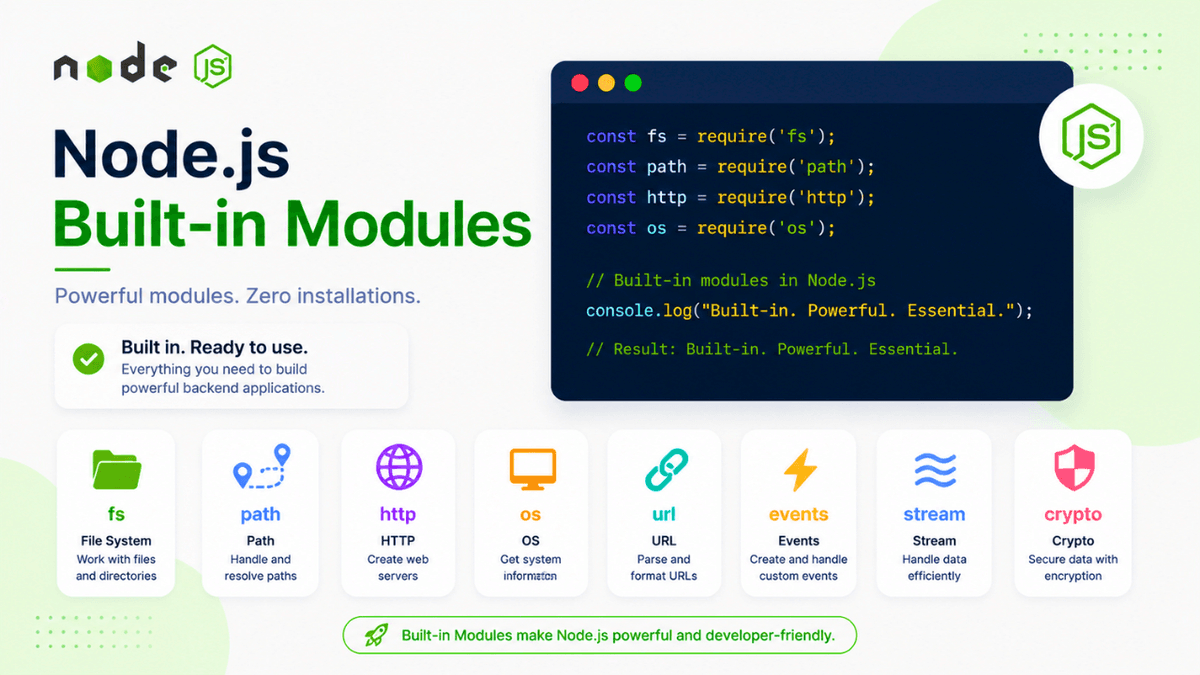
Learn what Node.js built-in modules are and how to use them. Explore the fs, path, http, os, url, events, stream, and crypto modules with practical examples.
Node.js Built-in Modules Explained: Complete Beginner Guide
One of the biggest advantages of Node.js is that it comes with many powerful modules built right into the runtime.
These modules allow you to work with files, create servers, handle operating system information, manage file paths, process URLs, and much more—without installing any additional packages.
In this guide, you'll learn what built-in modules are, why they are important, and explore the most commonly used ones in Node.js.
Prerequisites
Before reading this guide, make sure you've completed:
- What Is Node.js?
- Node.js Installation and Setup
- Your First Node.js Program
- Node.js REPL
- Node.js Modules
What Are Built-in Modules?
Built-in modules are JavaScript libraries that are included with every Node.js installation.
You don't need to install them using npm.
Simply import them into your project and start using them.
Example:
const fs = require("fs");
That's it! The fs module is already available because it's part of Node.js.
Why Use Built-in Modules?
Built-in modules help you:
- read and write files
- create web servers
- manage file paths
- access operating system information
- work with URLs
- handle events
- process streams
- encrypt data
Without these modules, many common backend tasks would be much harder.
How to Import a Built-in Module
Use the require() function.
Example:
const path = require("path");
Unlike custom modules, you don't use ./ because Node.js knows these modules are built in.
Most Popular Built-in Modules
Node.js includes dozens of built-in modules.
Let's look at the ones you'll use most often.
File System (fs)
The fs module lets you work with files and folders.
Common tasks include:
- creating files
- reading files
- writing files
- deleting files
- renaming files
Example:
const fs = require("fs");
You'll learn this module in detail in the next tutorial.
Path Module
The path module helps you work with file and directory paths.
Example:
const path = require("path");
It can:
- join paths
- extract file names
- get extensions
- normalize paths
HTTP Module
The http module lets you create web servers.
Example:
const http = require("http");
Using this module, you can build a basic backend server without installing Express.
OS Module
The os module provides information about the operating system.
Example:
  const os = require("os");

console.log(os.platform());
Useful information includes:
- operating system
- CPU architecture
- memory
- hostname
URL Module
The url module helps parse and manipulate URLs.
Example:
const url = require("url");
Useful when working with query parameters and web applications.
Events Module
Node.js is event-driven.
The events module lets you create and handle custom events.
Example:
const EventEmitter = require("events");
Many Node.js features rely on events internally.
Stream Module
Streams allow you to process large amounts of data efficiently.
Instead of loading an entire file into memory, streams process data in chunks.
Common use cases include:
- video streaming
- file uploads
- downloads
- large file processing
Crypto Module
The crypto module provides cryptographic functionality.
You can:
- hash passwords
- generate random values
- create secure tokens
- encrypt data
Security-related applications frequently use this module.
Built-in Modules vs Third-Party Modules
| Built-in Modules | Third-Party Modules |
|---|---|
| Included with Node.js | Installed using npm |
| No installation required | Must be downloaded |
| Maintained by Node.js | Maintained by package authors |
| Ready to use | Installed before use |
Both types are essential in modern Node.js development.
Common Beginner Mistakes
Trying to Install Built-in Modules
Incorrect:
npm install fs
Correct:
const fs = require("fs");
Built-in modules are already included with Node.js.
Using Incorrect Import Paths
Wrong:
require("./fs");
Correct:
require("fs");
Real-World Uses
Professional Node.js applications use built-in modules every day.
Examples:
- Express uses the http module internally.
- File upload systems use fs .
- Authentication systems use crypto .
- Logging systems use path .
- Streaming platforms use stream .
Understanding these modules helps you understand how backend frameworks work behind the scenes.
Built-in Modules You'll Learn Next
We'll cover these modules one by one:
- File System (
fs) - Path
- OS
- HTTP
- URL
- Events
- Stream
- Crypto
Each module deserves its own dedicated tutorial.
Watch the Full Tutorial
If you prefer video learning, watch the complete Node.js Built-in Modules tutorial below.
👉 Watch the Complete Node.js Built-in Modules Tutorial
The video introduces the most important built-in modules and demonstrates where each one is used.
Practice Exercises
Try these small experiments:
- Display your operating system information.
- Join two file paths.
- Read a text file.
- Create a simple HTTP server.
- Generate a random string using the crypto module.
These exercises help reinforce your understanding of built-in modules.
Production Tip
Professional developers rely on built-in modules whenever possible before adding third-party packages.
Using native modules can reduce dependencies, improve performance, and simplify maintenance.
Why Built-in Modules Matter
Built-in modules provide the core functionality needed for backend development.
They allow you to interact with the file system, network, operating system, and more—forming the building blocks of modern Node.js applications.
Conclusion
Node.js built-in modules are powerful tools that come included with every Node.js installation.
By learning how to use them effectively, you'll be able to build servers, manage files, process data, and create scalable backend applications without relying solely on external libraries.