How to Use the Node.js REPL
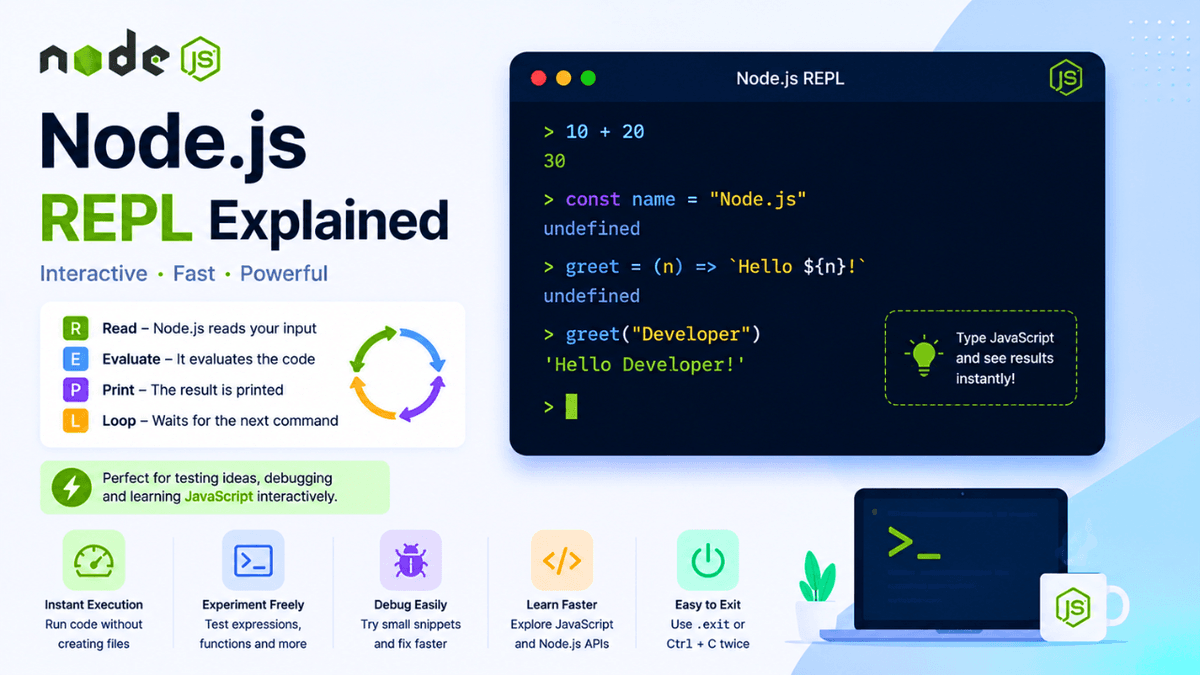
Learn what the Node.js REPL is, how to use it, and why it's useful. Explore variables, functions, objects, calculations, and interactive JavaScript execution with this beginner-friendly guide.
Node.js REPL Explained: A Beginner's Guide to the Interactive JavaScript Console
After writing your first Node.js program, the next tool you should learn is the Node.js REPL .
REPL allows you to write and execute JavaScript code instantly without creating a file.
It's one of the fastest ways to experiment with JavaScript, test ideas, debug code, and learn Node.js interactively.
In this guide, you'll learn what the Node.js REPL is, how it works, and why every Node.js developer should know it.
Prerequisites
Before reading this guide, make sure you've completed:
What Is REPL?
REPL stands for:
- R → Read
- E → Evaluate
- P → Print
- L → Loop
It is an interactive environment where Node.js reads your code, executes it, prints the result, and waits for the next command.
Workflow:
  Write Code

↓

Read

↓

Evaluate

↓

Print Result

↓

Repeat
This cycle continues until you exit the REPL.
Why Use the Node.js REPL?
The REPL is useful for:
- testing JavaScript code
- learning new syntax
- debugging logic
- trying Node.js APIs
- experimenting with functions
- performing quick calculations
You don't need to create a .js file for every small test.
How to Start the REPL
Open your terminal and type:
node
You'll see a prompt similar to:
>
This indicates that the REPL is ready to accept JavaScript code.
Your First REPL Command
Try typing:
console.log("Hello, Node.js!");
Output:
  Hello, Node.js!
undefined
The message is printed, and undefined is the return value of console.log() .
Performing Calculations
The REPL works like a calculator.
10 + 20
Output:
30
Another example:
15 * 8
Output:
120
This makes the REPL useful for quick experiments.
Working with Variables
You can declare variables directly in the REPL.
const name = "Sachin";
Now access the variable:
name
Output:
Sachin
Variables remain available until you exit the REPL.
Working with Arrays
Example:
  const fruits = [
  "Apple",
  "Mango",
  "Orange"
];
Access an item:
fruits[1]
Output:
Mango
Working with Objects
Example:
  const user = {
  name: "John",
  age: 25
};
Access properties:
user.name
Output:
John
Writing Functions
Functions can also be created.
  function greet(name) {
  return `Hello ${name}`;
}
Call the function:
greet("Node.js")
Output:
Hello Node.js
Using Built-in Objects
The REPL provides access to JavaScript's built-in objects.
Example:
Math.random()
Date.now()
process.version
These commands help you explore the Node.js runtime.
Clearing the Screen
To clear the REPL screen:
Ctrl + L
This clears the terminal while keeping the REPL session active.
Exiting the REPL
You can exit in several ways:
.exit
or
  Ctrl + C
Ctrl + C
or
Ctrl + D
After exiting, you'll return to your normal terminal.
REPL vs JavaScript Files
| REPL | JavaScript File |
|---|---|
| Interactive | Saved permanently |
| Great for testing | Best for projects |
| Executes instantly | Requires running node filename.js |
| Temporary | Reusable |
Both approaches are important and serve different purposes.
Common Beginner Mistakes
Forgetting to Start REPL
Typing JavaScript directly into the system terminal won't work.
Always start with:
node
Expecting Code to Be Saved
The REPL does not save your work.
If you need to keep code, write it in a .js file.
Forgetting to Exit
Use .exit , Ctrl + D , or press Ctrl + C twice.
Real-World Uses
Professional developers use the REPL to:
- test JavaScript snippets
- inspect objects
- debug calculations
- explore Node.js APIs
- verify package behavior
It's a fast and convenient learning tool.
Practice Exercises
Try these exercises:
- Create variables
- Build a simple calculator
- Create an object
- Write a function
- Generate random numbers
- Explore the
processobject
Small experiments help you become more comfortable with Node.js.
Production Tip
Although the REPL is excellent for testing ideas, production applications should always be written in organized JavaScript files with proper project structure and version control.
Why Learn the REPL?
The REPL provides immediate feedback, making it one of the best tools for learning JavaScript and Node.js.
Instead of repeatedly creating files for tiny experiments, you can test code instantly and understand how it behaves.
Conclusion
The Node.js REPL is a powerful interactive environment that helps you write, execute, and test JavaScript quickly.
By mastering the REPL, you'll become more productive, debug faster, and gain a deeper understanding of how JavaScript behaves inside the Node.js runtime.