Learn the Node.js URL Module
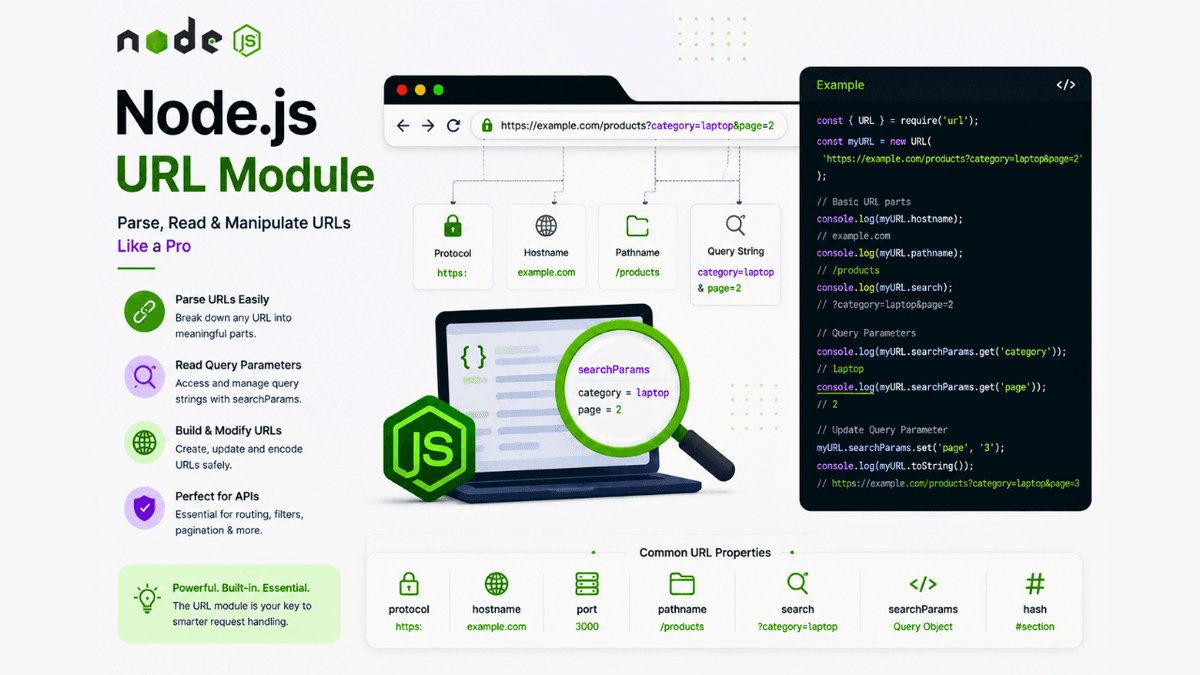
Learn how to use the Node.js URL module and the modern URL class to parse URLs, read query parameters, build URLs, and handle request paths with practical examples.
Node.js URL Module Explained: Parse and Work with URLs Like a Pro
Every request sent to a web server contains a URL .
Whether a user visits a webpage, calls an API, or searches for a product, the URL carries important information such as the path, query parameters, hostname, and protocol.
Node.js provides a built-in URL ( url ) module that helps you create, parse, and manipulate URLs with ease.
In this guide, you'll learn what the Node.js URL module is, why it's useful, and how to use it with practical examples.
Prerequisites
Before continuing, you should understand:
What Is the URL Module?
The URL ( url ) module is a built-in Node.js module used to parse, inspect, and manipulate URLs.
Since it's included with Node.js, no installation is required.
Import it like this:
const url = require("url");
Note: Modern Node.js also supports the global
URLclass, which is the recommended approach for most new applications. You'll see both in existing codebases.
Why Use the URL Module?
The URL module helps you:
- Parse URLs
- Read query parameters
- Get the pathname
- Access the hostname
- Build URLs
- Validate URL structure
These operations are essential when building APIs and web servers.
Understanding a URL
Example URL:
https://example.com/products?category=laptop&page=2
It contains:
| Part | Value |
|---|---|
| Protocol | https: |
| Hostname | example.com |
| Pathname | /products |
| Query String | category=laptop&page=2 |
Parsing URLs Using the URL Class
  const myURL = new URL(
  "https://example.com/products?category=laptop&page=2"
);

console.log(myURL.hostname);
console.log(myURL.pathname);
console.log(myURL.search);
Output:
  example.com
/products
?category=laptop&page=2
Reading Query Parameters
  const myURL = new URL(
  "https://example.com/products?category=laptop&page=2"
);

console.log(
  myURL.searchParams.get("category")
);

console.log(
  myURL.searchParams.get("page")
);
Output:
  laptop
2
This is one of the most common tasks in backend development.
Updating Query Parameters
  const myURL = new URL(
  "https://example.com/products"
);

myURL.searchParams.set(
  "category",
  "mobile"
);

myURL.searchParams.set(
  "page",
  "1"
);

console.log(myURL.toString());
Output:
https://example.com/products?category=mobile&page=1
Getting Individual URL Parts
  const myURL = new URL(
  "https://example.com:8080/blog?id=10"
);

console.log(myURL.protocol);
console.log(myURL.hostname);
console.log(myURL.port);
console.log(myURL.pathname);
Output:
  https:
example.com
8080
/blog
Using URLs with the HTTP Module
  const http = require("http");

const server = http.createServer((req, res) => {
  const currentURL = new URL(
    req.url,
    "http://localhost:3000"
  );

  const name =
    currentURL.searchParams.get("name");

  res.end(
    `Hello ${name || "Guest"}`
  );
});

server.listen(3000);
Visit:
http://localhost:3000/?name=Sachin
Response:
Hello Sachin
This demonstrates how query parameters are commonly handled in Node.js servers.
Common URL Properties
| Property | Description |
|---|---|
protocol | URL protocol |
hostname | Domain name |
port | Port number |
pathname | URL path |
search | Query string |
searchParams | Query parameter helper |
hash | Fragment identifier |
Common Beginner Mistakes
Parsing Relative URLs
When using the URL class with a relative URL (such as req.url ), always provide a base URL.
  const currentURL = new URL(
  req.url,
  "http://localhost:3000"
);
Manually Splitting Query Strings
Avoid manually parsing URLs with split() .
Use searchParams instead for cleaner and more reliable code.
Ignoring URL Encoding
Special characters should be encoded automatically using the URL API to avoid malformed URLs.
Real-World Use Cases
The URL module is commonly used for:
- REST APIs
- Search filters
- Pagination
- Authentication callbacks
- Payment redirects
- File downloads
- Dynamic routing
Almost every backend application processes URLs.
Best Practices
- Prefer the modern
URLclass in new projects. - Use
searchParamsinstead of manual parsing. - Validate user-provided URLs before processing.
- Avoid hardcoding URLs throughout your application.
Practice Exercises
Build these small projects:
- URL Parser
- Search Query Reader
- Pagination Demo
- Product Filter API
- Redirect URL Generator
These exercises will strengthen your understanding of URL handling.
Production Tip
Most modern Node.js applications use the WHATWG URL API instead of the older parsing methods because it is standardized, easier to use, and aligns with browser JavaScript.
Learning it now will prepare you for frameworks like Express.js, Next.js, and modern backend development.
Why the URL Module Matters
Every web request includes a URL.
Understanding how to read and manipulate URLs allows you to build search features, APIs, filters, routing systems, and dynamic web applications.
It's a fundamental backend development skill.
Conclusion
The Node.js URL module makes working with URLs simple and reliable.
By learning how to parse URLs, access query parameters, and use the modern URL class, you'll be ready to build more dynamic and feature-rich backend applications.