package.json Explained: Complete Beginner Guide
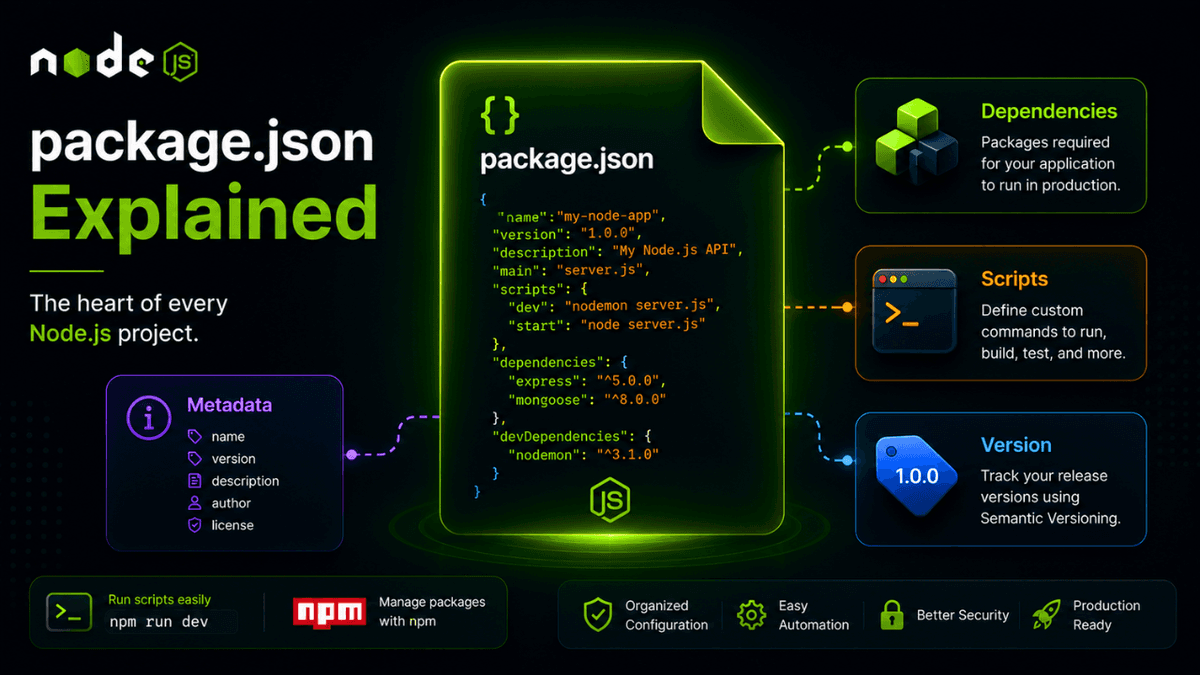
Learn what package.json is, how it manages dependencies, scripts, versions, and configuration, and why it is the heart of every Node.js project.
package.json Explained: The Heart of Every Node.js Project
If you've worked with any Node.js project, you've probably seen a file called package.json .
This file controls your project's metadata, dependencies, scripts, versions, and configuration.
Without package.json , managing modern Node.js applications would be extremely difficult.
In this guide, you'll learn what package.json is, why it exists, and how to use it effectively in real-world projects.
Prerequisites
Before reading this guide, you should understand:
What Is package.json?
package.json is a JSON file that stores information about your Node.js project.
It acts as the project's blueprint and tells Node.js and npm how the application should behave.
Example:
  {
  "name": "my-node-app",
  "version": "1.0.0",
  "description": "My first Node.js application"
}
Why Is package.json Important?
It helps manage:
- Project metadata
- Dependencies
- Scripts
- Versioning
- Licensing
- Configuration
- Build tools
Almost every JavaScript project contains a package.json file.
Creating package.json
Initialize it using:
npm init
Or generate it quickly:
npm init -y
This creates a default configuration file.
Important Fields
name
Defines the project name.
  {
  "name": "node-api"
}
version
Specifies the application version.
  {
  "version": "1.0.0"
}
description
Provides project information.
  {
  "description": "REST API using Express.js"
}
main
Defines the application's entry point.
  {
  "main": "server.js"
}
scripts
Defines custom commands.
  {
  "scripts": {
    "start": "node server.js",
    "dev": "nodemon server.js"
  }
}
Run scripts with:
npm run dev
dependencies
Stores production packages.
  {
  "dependencies": {
    "express": "^5.0.0"
  }
}
devDependencies
Stores development tools.
  {
  "devDependencies": {
    "nodemon": "^3.0.0"
  }
}
type
Enables ES Modules.
  {
  "type": "module"
}
Example package.json
  {
  "name": "mern-api",
  "version": "1.0.0",
  "description": "Production API",
  "main": "server.js",
  "type": "module",
  "scripts": {
    "dev": "nodemon server.js",
    "start": "node server.js"
  },
  "dependencies": {
    "express": "^5.0.0",
    "mongoose": "^9.0.0"
  },
  "devDependencies": {
    "nodemon": "^3.0.0"
  }
}
Common Scripts
| Script | Purpose |
|---|---|
start | Run production server |
dev | Run development server |
test | Run tests |
build | Build project |
Real-World Use Cases
package.json is used for:
- Dependency management
- Script automation
- Build tools
- CI/CD pipelines
- Version management
- Deployment systems
Every modern JavaScript project relies on it.
Common Beginner Mistakes
Editing Dependencies Manually
Prefer:
npm install express
instead of editing package.json manually.
Forgetting Version Control
Always commit:
  package.json
package-lock.json
to Git.
Using Global Packages Unnecessarily
Prefer local project dependencies whenever possible.
Best Practices
- Keep scripts simple and meaningful.
- Use semantic versioning.
- Separate production and development dependencies.
- Commit lock files.
- Remove unused dependencies.
Production Tip
Large teams often use scripts for:
- Testing
- Linting
- Formatting
- Building
- Deployment
A well-structured package.json becomes the command center of your application.
Why package.json Matters
The entire Node.js ecosystem revolves around package.json .
Understanding it is essential for building, maintaining, and deploying professional applications.
Conclusion
package.json is far more than a configuration file.
It's the foundation of every Node.js project and one of the first files developers interact with in real-world applications.
Mastering it is a major step toward becoming a production-ready backend developer.