Node.js Global Objects Explained: Complete Beginner Guide
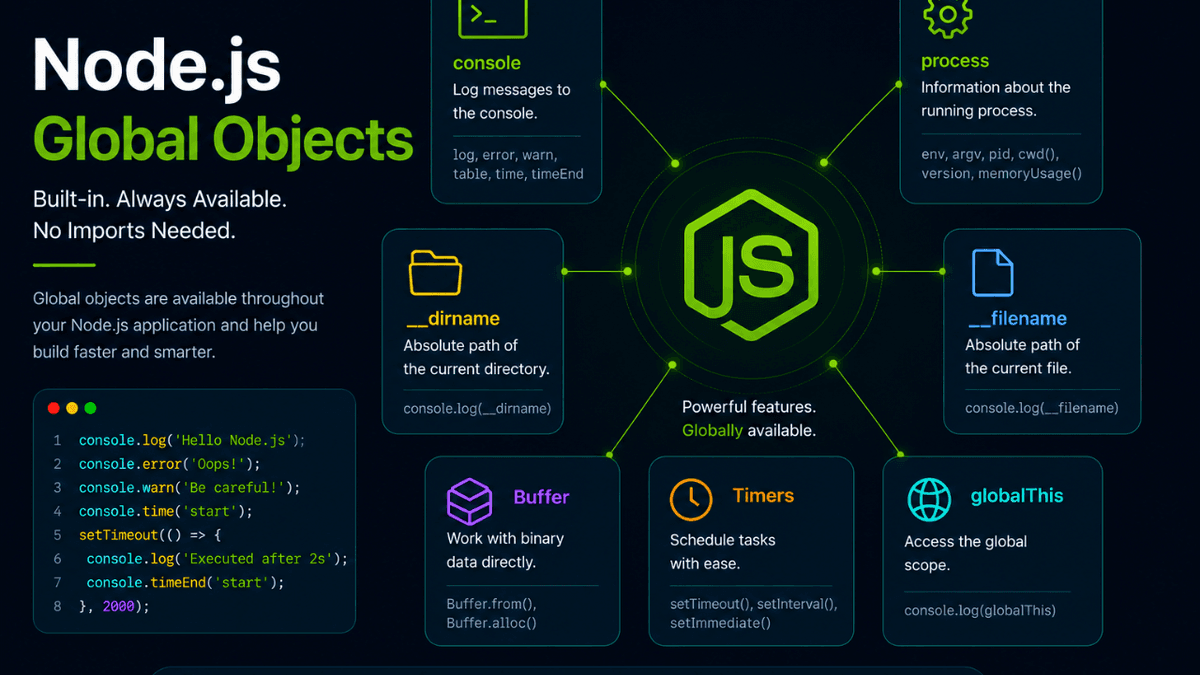
Learn about Node.js global objects like console, process, Buffer, __dirname, __filename, globalThis, and timer functions with practical examples.
Node.js Global Objects Explained: Everything You Can Use Without Importing
One of the most convenient features of Node.js is that it provides several global objects that are available anywhere in your application.
Unlike most modules, these objects don't need to be imported using require() or import .
Whether you're logging messages, accessing the current file, scheduling timers, or reading environment information, you're already using Node.js global objects.
In this guide, you'll learn what global objects are, why they matter, and how to use the most important ones with practical examples.
Prerequisites
Before reading this guide, you should understand:
What Are Global Objects?
Global objects are objects, variables, and functions that are available throughout your Node.js application without importing them.
For example:
console.log("Hello, Node.js!");
You didn't import console because it's already available globally.
Why Use Global Objects?
Global objects help you:
- Write cleaner code
- Access runtime information
- Schedule tasks
- Debug applications
- Work with file paths
- Manage timers
They simplify common programming tasks.
Common Node.js Global Objects
console
The console object is used for logging messages.
  console.log("Hello");
console.error("Something went wrong");
console.warn("Warning!");
Useful methods include:
-
log() -
error() -
warn() -
table() -
time() -
timeEnd()
process
The process object provides information about the currently running application.
  console.log(process.pid);
console.log(process.version);
You'll use it frequently for environment variables and runtime information.
__dirname
Returns the absolute path of the current directory.
console.log(__dirname);
Useful when working with files and folders.
__filename
Returns the absolute path of the current file.
console.log(__filename);
Helpful for debugging and file operations.
Buffer
Buffers allow Node.js to work with binary data.
  const buf = Buffer.from("Hello");

console.log(buf);
No import is required.
Timers
Node.js provides built-in timer functions.
  setTimeout(() => {
  console.log("Executed after 2 seconds");
}, 2000);
Other timer functions include:
-
setInterval() -
setImmediate() -
clearTimeout() -
clearInterval()
We'll explore these in the next tutorial.
globalThis
globalThis provides access to the global scope.
console.log(globalThis);
It offers a standard way to access the global object across different JavaScript environments.
Common Global Objects
| Global Object | Purpose |
|---|---|
console | Logging and debugging |
process | Runtime information |
Buffer | Binary data |
__dirname | Current directory |
__filename | Current file |
globalThis | Global scope |
setTimeout() | Delayed execution |
setInterval() | Repeated execution |
Real-World Use Cases
Global objects are used in:
- Logging
- File management
- Debugging
- Scheduling background tasks
- Reading environment variables
- Server monitoring
- CLI tools
Almost every Node.js application uses them.
Common Beginner Mistakes
Importing Global Objects
Incorrect:
const console = require("console");
Most global objects are already available.
Misusing __dirname
__dirname refers to the current file's directory—not necessarily the project's root folder.
Creating Too Many Global Variables
Avoid attaching your own variables to the global scope.
Instead, keep data inside modules whenever possible.
Best Practices
- Use global objects only when appropriate.
- Avoid polluting the global scope.
- Prefer
globalThisfor cross-platform JavaScript. - Use timers responsibly to prevent unnecessary resource usage.
- Keep runtime configuration inside environment variables.
Practice Exercises
Build these mini-projects:
- Console Logger
- Timer Demo
- File Information Viewer
- Runtime Information CLI
- Global Object Explorer
These exercises help reinforce how global objects are used in everyday development.
Production Tip
Although global objects are convenient, avoid creating your own global variables.
Keeping application logic inside modules improves maintainability, testability, and scalability.
Why Global Objects Matter
Global objects provide quick access to essential runtime features without requiring imports.
Understanding them helps you write cleaner, more efficient Node.js applications and better understand how the runtime environment works.
Conclusion
Node.js global objects simplify development by making commonly used tools available everywhere.
By mastering objects like console , process , Buffer , __dirname , and timer functions, you'll be better prepared to build robust and production-ready backend applications.