Node.js Worker Threads Explained: Run CPU-Intensive Tasks Without Blocking the Event Loop
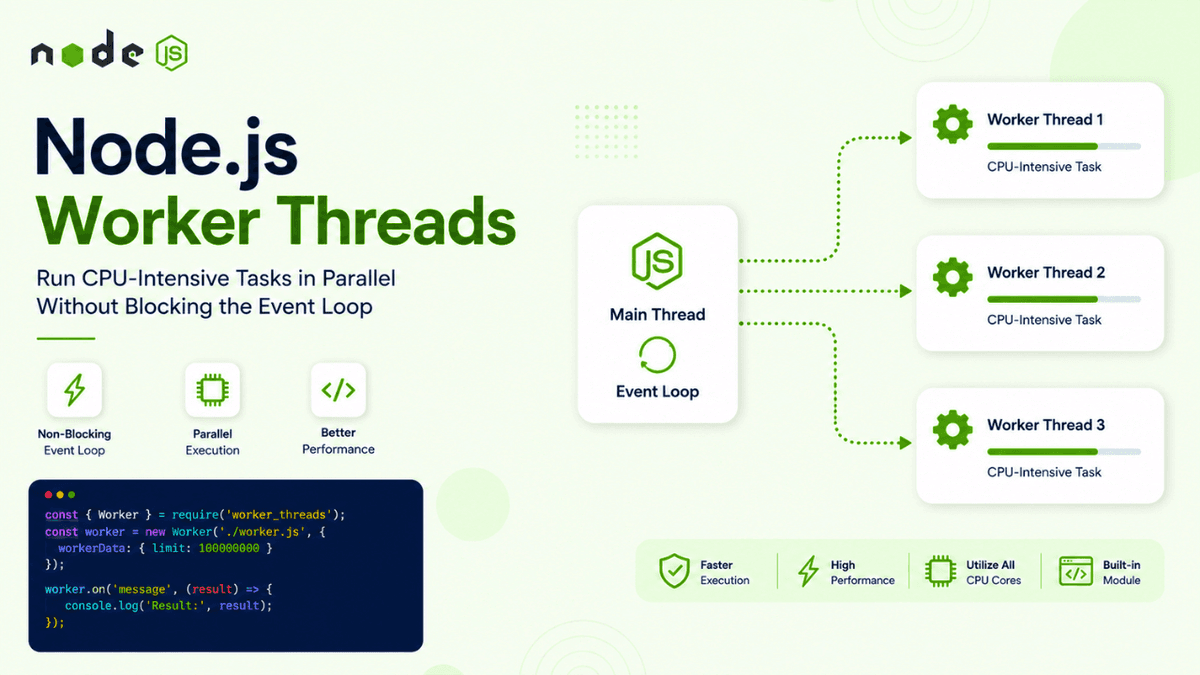
Learn how Node.js Worker Threads work and how to run CPU-intensive JavaScript tasks in parallel without blocking the event loop. Understand worker threads, message passing, performance, and practical use cases.
Node.js Worker Threads Explained: Run CPU-Intensive Tasks Without Blocking the Event Loop
Node.js is known for its excellent performance when handling I/O-heavy workloads.
It can manage thousands of concurrent operations such as:
- HTTP requests
- Database queries
- File operations
- Network communication
But Node.js has an important limitation.
JavaScript code executed on the main thread can block the Event Loop when it performs heavy CPU-intensive work.
For example:
  function heavyCalculation() {
  let result = 0;

  for (let i = 0; i < 10_000_000_000; i++) {
    result += i;
  }

  return result;
}
While this function is running, the main JavaScript thread is busy.
If your Node.js server receives other requests during that time, those requests may have to wait.
This is where Worker Threads become useful.
Worker Threads allow Node.js applications to run JavaScript code in separate threads, making them useful for CPU-intensive tasks while keeping the main event loop responsive.
In the previous article, we explored the Node.js Child Process Module , which allows applications to create separate operating system processes. Now we'll explore a lighter-weight approach for parallel JavaScript execution.
What Are Worker Threads?
Worker Threads allow JavaScript code to run in parallel threads inside a Node.js application.
The simplified architecture looks like this:
  Node.js Process
      │
      ├── Main Thread
      │      ↓
      │   Event Loop
      │
      └── Worker Thread
             ↓
        CPU-Intensive Task
The main thread continues handling normal application work while the worker handles the expensive computation.
Why Do We Need Worker Threads?
Node.js uses a single JavaScript thread for executing your application code.
This is excellent for asynchronous I/O operations.
For example:
  Request
   ↓
Database Query
   ↓
Wait for Database
   ↓
Continue Execution
While the database is working, Node.js can handle other requests.
But CPU-heavy tasks behave differently.
  Request
   ↓
Heavy Calculation
   ↓
CPU Busy
   ↓
Event Loop Blocked
If the calculation takes several seconds, your server may become unresponsive during that period.
Worker Threads help move that work away from the main JavaScript thread.
When Should You Use Worker Threads?
Worker Threads are useful for CPU-intensive JavaScript operations such as:
- Image processing
- Data compression
- Encryption calculations
- Large mathematical calculations
- Data transformation
- Machine learning computations
- Parsing large datasets
They are generally not necessary for normal asynchronous I/O tasks.
For example, you don't need a Worker Thread just to perform:
await fetch(url);
Node.js already handles asynchronous I/O efficiently.
Importing Worker Threads
The Worker Threads API is available through Node.js' built-in module:
  const {
  Worker,
  isMainThread,
  parentPort,
  workerData
} = require("worker_threads");
The most commonly used APIs are:
-
Worker -
isMainThread -
parentPort -
workerData
Creating Your First Worker
Create a file:
worker.js
Example:
  const { Worker } = require("worker_threads");

const worker = new Worker("./worker.js");

worker.on("message", (message) => {
  console.log("Worker result:", message);
});

worker.on("error", (error) => {
  console.error("Worker error:", error);
});

worker.on("exit", (code) => {
  console.log("Worker exited:", code);
});
Now let's create the worker itself.
Writing Worker Code
Inside worker.js :
  const {
  parentPort
} = require("worker_threads");

const result = 10 + 20;

parentPort.postMessage(result);
The worker sends the result back to the main thread.
Output:
Worker result: 30
The communication flow looks like this:
  Main Thread
    │
    │ Start Worker
    ↓
Worker Thread
    │
    │ Perform Task
    ↓
Worker Result
    │
    ↓
Main Thread
Understanding parentPort
parentPort provides a communication channel between the worker and the main thread.
The worker can send a message:
parentPort.postMessage("Task completed");
The main thread can receive it:
  worker.on("message", (message) => {
  console.log(message);
});
This communication model is similar to the parent-child process communication we explored in the previous article.
Sending Data to a Worker
You can send data when creating a Worker.
Example:
  const worker = new Worker("./worker.js", {
  workerData: {
    number: 10
  }
});
Inside the worker:
  const {
  workerData,
  parentPort
} = require("worker_threads");

const result = workerData.number * 2;

parentPort.postMessage(result);
Output:
20
The workerData object allows you to provide initial data to the worker.
Building a CPU-Intensive Example
Let's create a simple calculation.
Main thread:
  const {
  Worker
} = require("worker_threads");

const worker = new Worker("./worker.js", {
  workerData: {
    limit: 100000000
  }
});

worker.on("message", (result) => {
  console.log("Calculation complete:", result);
});
Worker:
  const {
  workerData,
  parentPort
} = require("worker_threads");

let total = 0;

for (let i = 0; i < workerData.limit; i++) {
  total += i;
}

parentPort.postMessage(total);
The calculation happens inside the worker instead of blocking the main JavaScript thread.
Worker Threads vs Child Processes
Worker Threads and Child Processes solve related but different problems.
| Feature | Worker Threads | Child Processes |
|---|---|---|
| Execution | Separate thread | Separate process |
| Memory | Can share memory | Separate memory |
| Startup | Generally lighter | Generally heavier |
| JavaScript execution | Yes | Yes |
| External programs | No | Yes |
| CPU-intensive JS | Excellent use case | Also possible |
| Process isolation | Lower | Higher |
Use Worker Threads when you need to execute CPU-intensive JavaScript.
Use Child Processes when you need to run external programs or require stronger process-level isolation.
Worker Threads vs Event Loop
Consider a normal Node.js application:
  Incoming Request
      ↓
Event Loop
      ↓
CPU-Heavy Task
      ↓
Event Loop Blocked
      ↓
Other Requests Wait
With Worker Threads:
  Incoming Request
      ↓
Event Loop
      │
      ├── Worker Thread → CPU Task
      │
      └── Continue Handling Requests
This is the main benefit.
The event loop remains available for other work while the worker handles the CPU-intensive operation.
SharedArrayBuffer
Worker Threads can share memory using SharedArrayBuffer .
The basic concept looks like:
  Main Thread
     │
     │ Shared Memory
     ↓
Worker Thread
This can be useful for high-performance applications where copying large amounts of data between threads would be expensive.
However, shared memory introduces complexity.
You need to carefully handle:
- Concurrent access
- Race conditions
- Synchronization
- Data consistency
For most beginner and intermediate applications, message passing is easier and safer.
Atomics
When multiple threads access shared memory, Node.js provides the Atomics API.
Atomics helps coordinate operations on shared memory.
For example:
Atomics.add(sharedArray, 0, 1);
This performs an atomic operation that prevents certain race conditions.
Shared memory and Atomics are advanced topics and are usually needed only when you're building highly optimized concurrent systems.
Worker Errors
Always handle worker errors.
  worker.on("error", (error) => {
  console.error("Worker failed:", error);
});
Without error handling, debugging worker failures can become difficult.
Worker Exit
You can detect when a worker exits:
  worker.on("exit", (code) => {
  if (code !== 0) {
    console.log(`Worker stopped with code ${code}`);
  }
});
This helps you monitor worker lifecycle.
Terminating a Worker
You can stop a worker manually:
await worker.terminate();
This may be useful when:
- A user cancels a task
- A task takes too long
- The application is shutting down
- The worker is no longer needed
Worker Pools
Creating a new Worker for every request isn't always efficient.
Imagine receiving:
  1000 Requests
     ↓
1000 Workers
This can consume significant system resources.
Instead, production systems often use a Worker Pool .
  Request Queue
     ↓
Worker Pool
 ┌───┼───┐
 W1  W2  W3
 └───┼───┘
     ↓
Results
A worker pool maintains a limited number of workers and distributes tasks between them.
This improves resource utilization and prevents uncontrolled worker creation.
Example Worker Pool Concept
Suppose your server has 8 CPU cores.
Instead of creating hundreds of workers, you might maintain a smaller pool:
  Worker 1
Worker 2
Worker 3
Worker 4
Tasks are assigned to available workers.
Once a worker finishes:
  Task 1 → Worker 1
Task 2 → Worker 2
Task 3 → Worker 3
Task 4 → Worker 4

Task 5 waits...

Worker 2 finishes
       ↓
Task 5 → Worker 2
This pattern is commonly used in high-performance systems.
Common Beginner Mistakes
Using Workers for I/O
Don't create a Worker Thread just to perform asynchronous database queries.
Node.js already handles asynchronous I/O efficiently.
Creating Too Many Workers
Workers consume memory and CPU resources.
Always consider the number of CPU cores and actual workload.
Ignoring Worker Errors
Always listen for:
worker.on("error", ...)
Overusing Shared Memory
Shared memory can improve performance, but it introduces synchronization complexity.
Start with message passing unless shared memory is genuinely required.
Worker Threads in Real Applications
Worker Threads can be useful for:
Image Processing
  Upload Image
      ↓
Node.js API
      ↓
Worker Thread
      ↓
Resize / Compress
      ↓
Store Image
Data Processing
  Large Dataset
      ↓
Worker Thread
      ↓
Transform Data
      ↓
Return Result
Encryption
  Request
   ↓
Worker Thread
   ↓
CPU-Heavy Encryption
   ↓
Response
These workloads can benefit from parallel JavaScript execution.
Scaling Beyond Worker Threads
Worker Threads are powerful, but they aren't the only scaling strategy.
As applications grow, you may also use:
- Multiple Node.js processes
- PM2 cluster mode
- Child processes
- Job queues
- Background workers
- Microservices
- Container orchestration
The right approach depends on your workload and architecture.
For example:
  Simple CPU Task
      ↓
Worker Thread

External Program
      ↓
Child Process

Large Background Job
      ↓
Job Queue + Worker

Multiple Servers
      ↓
Distributed Architecture
Understanding these options helps you choose the right solution instead of using Worker Threads for everything.
What's Next?
We've now explored:
- Node.js processes
- Process management
- Child processes
- Worker Threads
The next step is understanding how Node.js can manage multiple processes to take advantage of multi-core CPUs.
In the next article, we'll explore the Node.js Cluster Module and learn how multiple Node.js processes can work together to handle more traffic.
Conclusion
Worker Threads provide Node.js developers with a powerful way to run CPU-intensive JavaScript tasks without blocking the main event loop.
They are especially useful when your application performs expensive calculations, data processing, or other CPU-heavy operations.
The key is understanding when to use them.
For asynchronous I/O, the Node.js event-driven architecture is usually enough.
For CPU-intensive JavaScript, Worker Threads can help.
For external programs, Child Processes are often a better choice.
Once you understand these differences, you can design Node.js applications that use system resources more effectively and remain responsive under demanding workloads.