Nodemon Explained: Automatically Restart Your Node.js Server
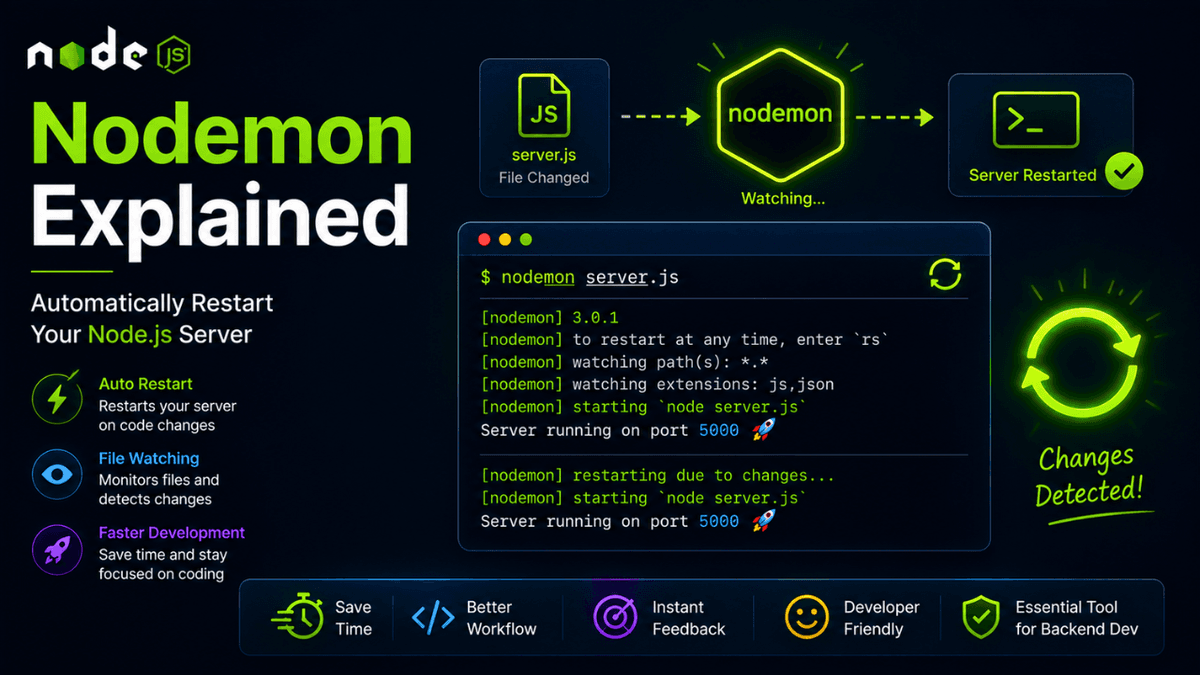
Learn how Nodemon works, how to install it, and how to automatically restart your Node.js server during development.
Nodemon Explained: Automatically Restart Your Node.js Server During Development
If you're building a Node.js application, you'll quickly notice an annoying workflow:
- Change some code.
- Stop the server.
- Restart the server.
- Repeat hundreds of times.
This slows development and interrupts your flow.
That's where Nodemon comes in.
Nodemon automatically watches your files and restarts your server whenever changes are detected.
It has become one of the most popular developer tools in the Node.js ecosystem.
What Is Nodemon?
Nodemon is a development utility that monitors file changes and automatically restarts your application.
Instead of manually running:
node server.js
you run:
nodemon server.js
Now every file change triggers an automatic restart.
Why Use Nodemon?
Nodemon helps developers:
- Save time
- Improve development speed
- Reduce repetitive tasks
- Stay focused while coding
- Get immediate feedback
For backend development, it quickly becomes an essential tool.
Installing Nodemon
Install Locally
npm install nodemon --save-dev
Short version:
npm i nodemon -D
This is the recommended approach for most projects.
Install Globally
npm install -g nodemon
This makes Nodemon available everywhere on your machine.
Using Nodemon
Run your application:
nodemon server.js
Example output:
  [nodemon] starting `node server.js`
Server running on port 5000
After saving changes:
[nodemon] restarting due to changes...
No manual restart required.
Using Nodemon with package.json
Most projects define scripts:
  {
  "scripts": {
    "dev": "nodemon server.js"
  }
}
Now start development mode with:
npm run dev
This is the most common workflow in professional projects.
Watching Specific Files
Example:
nodemon --watch src server.js
This limits file monitoring to specific folders.
Ignoring Files
Example:
nodemon --ignore uploads
Useful for logs, uploads, and generated files.
nodemon.json Configuration
Create:
  {
  "watch": ["src"],
  "ext": "js,json",
  "ignore": ["uploads"]
}
This keeps commands cleaner.
Common Real-World Workflow
  {
  "scripts": {
    "dev": "nodemon src/server.js",
    "start": "node src/server.js"
  }
}
Development:
npm run dev
Production:
npm start
Common Beginner Mistakes
Using Nodemon in Production
Nodemon is designed for development only.
Production environments typically use:
- PM2
- Docker
- Kubernetes
- Systemd
Installing Everything Globally
Project dependencies should usually remain local.
Forgetting devDependencies
Nodemon belongs inside:
"devDependencies"
not:
"dependencies"
Best Practices
- Use Nodemon only during development.
- Add a
devscript topackage.json. - Keep production and development workflows separate.
- Ignore unnecessary files to improve performance.
Production Tip
For production deployments, use process managers such as:
- PM2
- Docker
- Kubernetes
These tools provide monitoring, clustering, logging, and automatic recovery.
Why Nodemon Matters
Nodemon removes one of the biggest annoyances in backend development.
By automating restarts, it improves developer experience and speeds up iteration.
Conclusion
Nodemon is a simple tool that dramatically improves the Node.js development workflow.
Once you start using it, you'll rarely want to build a backend application without it.