Understanding CRUD Operations in Node.js with REST API Examples
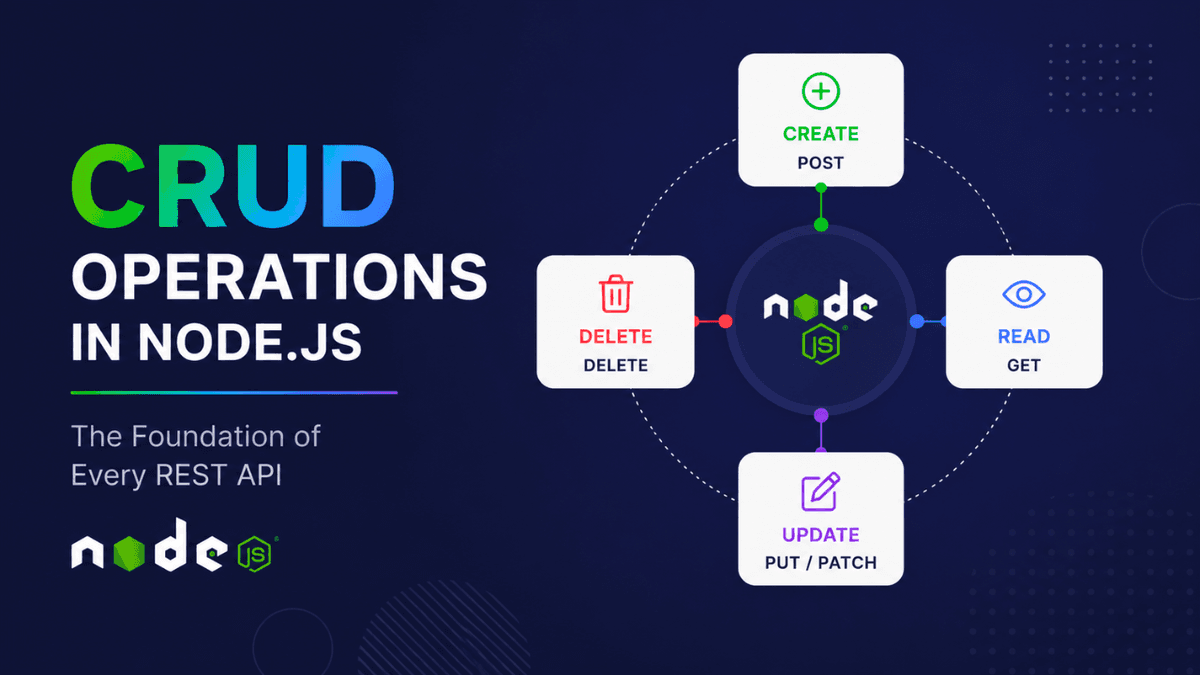
Learn CRUD operations in Node.js and understand how Create, Read, Update, and Delete map to REST APIs and HTTP methods with practical examples.
CRUD Operations in Node.js: The Foundation of Every REST API
If you've ever built a notes app, e-commerce backend, admin dashboard, or SaaS product, you've already used CRUD operations.
CRUD is the core of almost every backend application.
In this article, you'll learn what CRUD means, how it works in Node.js, and how these operations map to HTTP methods in REST APIs.
If you haven't read the previous article, start with What is REST API? because CRUD operations are built on top of REST principles.
What is CRUD?
CRUD stands for:
- Create → Add new data
- Read → Retrieve existing data
- Update → Modify existing data
- Delete → Remove data
These four operations represent the complete lifecycle of most application data.
For example, in a Notes application:
| Action | CRUD Operation |
|---|---|
| Create a note | Create |
| View all notes | Read |
| Edit a note | Update |
| Delete a note | Delete |
Almost every backend system follows this pattern.
Examples include:
- User management systems
- Blog platforms
- E-commerce products
- Task managers
- Inventory systems
- Payment records
- Analytics dashboards
CRUD Operations and HTTP Methods
REST APIs use HTTP methods to perform CRUD actions.
| CRUD Operation | HTTP Method | Example Endpoint |
|---|---|---|
| Create | POST | /users |
| Read | GET | /users |
| Read Single | GET | /users/1 |
| Update | PUT/PATCH | /users/1 |
| Delete | DELETE | /users/1 |
This mapping has become the industry standard.
CREATE Operation
The Create operation inserts new data into the system.
Example:
  POST /users

{
  "name": "John",
  "email": "john@example.com"
}
The server receives the request and stores the new user.
Typical response:
  {
  "message": "User created successfully",
  "id": 1
}
Common use cases:
- User registration
- Creating blog posts
- Adding products
- Uploading files
- Creating orders
READ Operation
The Read operation fetches data from the server.
Get All Resources
GET /users
Example response:
  [
  {
    "id": 1,
    "name": "John"
  },
  {
    "id": 2,
    "name": "Alice"
  }
]
Get Single Resource
GET /users/1
Example response:
  {
  "id": 1,
  "name": "John"
}
Common examples:
- Fetch products
- Load dashboard data
- Retrieve user profiles
- Display blog articles
UPDATE Operation
The Update operation modifies existing data.
There are two commonly used HTTP methods:
PUT
PUT replaces the entire resource.
Example:
PUT /users/1
  {
  "name": "John Doe",
  "email": "john@example.com"
}
The complete object is replaced.
PATCH
PATCH updates only specific fields.
Example:
PATCH /users/1
  {
  "name": "John Doe"
}
Only the name field changes.
We'll cover the difference between PUT and PATCH in detail in the next article:
Internal Link: PUT vs PATCH in REST APIs
DELETE Operation
The Delete operation removes data permanently.
Example:
DELETE /users/1
Typical response:
  {
  "message": "User deleted successfully"
}
Examples include:
- Removing products
- Deleting comments
- Removing accounts
- Deleting uploaded files
CRUD Example: Notes API
Imagine we are building a Notes API.
| Feature | Endpoint | Method |
|---|---|---|
| Create note | /notes | POST |
| Get all notes | /notes | GET |
| Get single note | /notes/:id | GET |
| Update note | /notes/:id | PATCH |
| Delete note | /notes/:id | DELETE |
This structure is used by thousands of production applications.
Visualizing CRUD Flow
  Client Request
      ↓
HTTP Method
      ↓
API Route
      ↓
Database Operation
      ↓
Response Returned
Example:
  POST /notes
      ↓
Create New Note
      ↓
Save to Database
      ↓
Return Success Response
CRUD and Databases
CRUD operations eventually become database operations.
| CRUD | SQL | MongoDB |
|---|---|---|
| Create | INSERT | insertOne |
| Read | SELECT | find |
| Update | UPDATE | updateOne |
| Delete | DELETE | deleteOne |
This relationship is why understanding CRUD early makes learning databases much easier.
Common Beginner Mistakes
Using GET to Delete Data
Wrong:
GET /delete-user/1
Correct:
DELETE /users/1
Using POST for Updates
Wrong:
POST /users/1
Correct:
PATCH /users/1
Returning Wrong Status Codes
Examples:
| Action | Status Code |
|---|---|
| Resource created | 201 |
| Successful request | 200 |
| Resource deleted | 204 |
| Resource not found | 404 |
| Validation failed | 400 |
We'll explore status codes in a dedicated article later in this series.
Why CRUD Matters
CRUD is not just an interview topic.
It powers:
- Social media platforms
- Banking applications
- SaaS products
- Inventory systems
- E-commerce stores
- Developer tools
Once you understand CRUD operations, building APIs becomes significantly easier.
Conclusion
CRUD operations are the language of backend development.
Every resource in an API eventually needs to be created, retrieved, updated, and deleted.
Master these four concepts and you'll understand the foundation behind almost every modern web application backend.
The good news is that Node.js makes implementing CRUD operations straightforward, whether you're using the native HTTP module or frameworks like Express.
Understanding CRUD is the first real step toward building production-grade APIs.