Build a Nykaa Header Using HTML and CSS
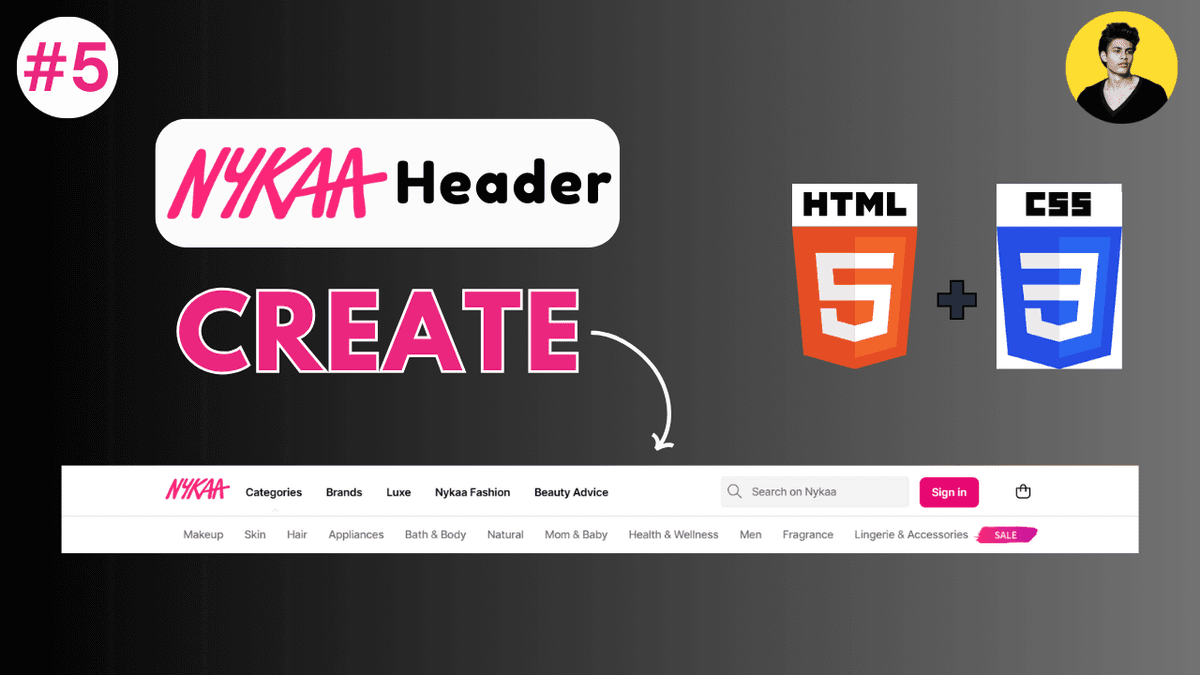
Learn how to build a modern Nykaa-style header using HTML and CSS. Understand Flexbox layouts, responsive navigation, search bar design, hover effects, and modern UI structure.
Build a Nykaa Header Using HTML and CSS
Building real-world UI components is one of the best ways to improve frontend development skills.
In this tutorial, we will create a modern e-commerce header inspired by Nykaa using:
- HTML
- CSS
This project helps beginners understand:
- Flexbox layouts
- responsive structure
- navigation styling
- search bar design
- spacing systems
- modern UI alignment
Projects like this are extremely useful for improving practical frontend development skills.
What We Will Build
The header will include:
- top announcement bar
- logo section
- navigation menu
- search bar
- action buttons
- responsive layout
This type of header structure is commonly used in:
- e-commerce websites
- beauty platforms
- SaaS dashboards
- modern frontend applications
Final UI Structure
Our layout structure:
  Top Bar
Logo | Navigation | Search | Icons
We will build this step-by-step.
Project Folder Structure
  project/
│
├── index.html
└── style.css
Simple and beginner-friendly structure.
Step 1: Create HTML Structure
Create index.html .
  <!DOCTYPE html>
<html lang="en">
<head>

  <meta charset="UTF-8" />

  <meta
    name="viewport"
    content="width=device-width, initial-scale=1.0"
  />

  <title>Nykaa Header Clone</title>

  <link
    rel="stylesheet"
    href="style.css"
  />

</head>

<body>

  <div class="top-bar">
    BEAUTY BONANZA SALE IS LIVE
  </div>

  <header class="header">

    <div class="logo">
      NYKAA
    </div>

    <nav class="nav-links">
      <a href="#">Makeup</a>
      <a href="#">Skin</a>
      <a href="#">Hair</a>
      <a href="#">Fragrance</a>
      <a href="#">Luxury</a>
    </nav>

    <div class="search-box">
      <input
        type="text"
        placeholder="Search products, brands and more"
      />
    </div>

    <div class="icons">
      <span>Account</span>
      <span>Wishlist</span>
      <span>Cart</span>
    </div>

  </header>

</body>
</html>
This creates the complete header structure.
Understanding the Layout
The layout contains two main sections:
| Section | Purpose |
|---|---|
| Top Bar | Announcement section |
| Main Header | Navigation and actions |
This structure is commonly used in modern e-commerce websites.
Step 2: Add CSS Reset
Create style.css .
  * {
  margin: 0;
  padding: 0;

  box-sizing: border-box;
}
This removes default browser spacing issues.
Modern frontend projects usually start with a CSS reset.
Step 3: Style the Body
  body {
  font-family: Arial, sans-serif;

  background: #f5f5f5;
}
This creates a cleaner base UI.
Step 4: Style the Top Bar
  .top-bar {
  height: 40px;

  background: #fc2779;

  color: white;

  display: flex;

  align-items: center;
  justify-content: center;

  font-size: 14px;

  font-weight: 600;
}
This creates a Nykaa-inspired announcement bar.
Step 5: Create Main Header Layout
  .header {
  height: 80px;

  background: white;

  display: flex;

  align-items: center;

  justify-content: space-between;

  padding: 0 40px;

  box-shadow:
    0 2px 10px rgba(0,0,0,0.05);
}
This creates a modern horizontal layout using Flexbox.
Understanding the Header CSS
| Property | Purpose |
|---|---|
display: flex | Flexible layout |
align-items | Vertical alignment |
justify-content | Horizontal spacing |
padding | Internal spacing |
box-shadow | Modern elevation effect |
This structure is heavily used in modern frontend development.
Step 6: Style the Logo
  .logo {
  font-size: 28px;

  font-weight: bold;

  color: #fc2779;

  cursor: pointer;
}
This creates a Nykaa-inspired branding style.
Step 7: Style Navigation Menu
  .nav-links {
  display: flex;

  gap: 25px;
}

.nav-links a {
  text-decoration: none;

  color: #1f2937;

  font-size: 14px;

  font-weight: 600;
}
This creates a clean navigation system.
Add Navigation Hover Effect
  .nav-links a:hover {
  color: #fc2779;
}
This improves interactivity.
Modern interfaces heavily rely on hover states.
Step 8: Style Search Box
  .search-box input {
  width: 320px;

  padding: 10px 15px;

  border: none;

  background: #f3f4f6;

  border-radius: 6px;

  outline: none;
}
This creates a modern search input UI.
Step 9: Style Icons Section
  .icons {
  display: flex;

  gap: 20px;

  font-size: 14px;

  font-weight: 500;

  color: #1f2937;
}

.icons span {
  cursor: pointer;
}
This creates action buttons similar to modern e-commerce platforms.
Add Hover Effects to Icons
  .icons span:hover {
  color: #fc2779;
}
This improves user interaction feedback.
Complete Final CSS
  * {
  margin: 0;
  padding: 0;

  box-sizing: border-box;
}

body {
  font-family: Arial, sans-serif;

  background: #f5f5f5;
}

.top-bar {
  height: 40px;

  background: #fc2779;

  color: white;

  display: flex;

  align-items: center;
  justify-content: center;

  font-size: 14px;

  font-weight: 600;
}

.header {
  height: 80px;

  background: white;

  display: flex;

  align-items: center;

  justify-content: space-between;

  padding: 0 40px;

  box-shadow:
    0 2px 10px rgba(0,0,0,0.05);
}

.logo {
  font-size: 28px;

  font-weight: bold;

  color: #fc2779;

  cursor: pointer;
}

.nav-links {
  display: flex;

  gap: 25px;
}

.nav-links a {
  text-decoration: none;

  color: #1f2937;

  font-size: 14px;

  font-weight: 600;
}

.nav-links a:hover {
  color: #fc2779;
}

.search-box input {
  width: 320px;

  padding: 10px 15px;

  border: none;

  background: #f3f4f6;

  border-radius: 6px;

  outline: none;
}

.icons {
  display: flex;

  gap: 20px;

  font-size: 14px;

  font-weight: 500;

  color: #1f2937;
}

.icons span {
  cursor: pointer;
}

.icons span:hover {
  color: #fc2779;
}
This creates the complete modern header UI.
Make the Header Responsive
Modern websites must support smaller devices.
Add Media Query:
  @media (max-width: 900px) {

  .nav-links {
    display: none;
  }

  .search-box input {
    width: 180px;
  }

}
This improves mobile responsiveness.
What You Learn From This Project
This project teaches:
- Flexbox layouts
- responsive design
- navigation structure
- search bar styling
- hover interactions
- spacing systems
- real-world UI building
These concepts are heavily used in frontend development.
Common Beginner Mistakes
Ignoring responsiveness
Modern layouts must adapt to smaller screens.
Using inconsistent spacing
Professional UI systems usually follow consistent spacing scales.
Overcomplicating layout structure
Modern frontend architecture usually prefers simpler layouts.
Not using hover interactions
Interactive feedback improves user experience.
Real-World Improvements
You can further improve this project by adding:
- SVG icons
- mobile menu
- sticky navigation
- dropdown categories
- dark mode
- animations
- search suggestions
These features are commonly used in production applications.
Modern Frontend Development Insight
Headers are one of the most important UI components in frontend applications.
Professional interfaces focus heavily on:
- responsive navigation
- search UX
- spacing consistency
- accessibility
- clean visual hierarchy
Good header design significantly improves user experience.
Production Tip
Professional frontend developers usually:
- create reusable header components
- optimize mobile navigation
- maintain consistent spacing systems
- use scalable layout architecture
- prioritize accessibility
Header quality strongly affects overall frontend quality.
Why Building UI Clones Helps
UI cloning helps developers:
- improve practical frontend skills
- understand modern layouts
- practice responsive design
- improve spacing knowledge
- build frontend confidence
Building real-world interfaces is one of the fastest ways to improve frontend development.
Conclusion
Creating a Nykaa-style header using HTML and CSS is an excellent frontend practice project.
This project teaches important concepts like Flexbox, responsive layouts, navigation systems, spacing architecture, and modern UI structure.
As you move into advanced frontend development with Tailwind CSS, React, and Next.js, these UI principles become even more important because modern applications rely heavily on scalable and responsive component systems.